
The invoice app for freelancers, from first hello to paid
Share your card, send the proposal, issue the invoice, get paid. Presence Studio keeps your whole client flow in one app for iPhone, iPad and Mac—no account required.

At a glance
- Languages: English, German, French, Spanish
- 4
- Platforms: iPhone, iPad and Mac
- 3
- Accounts needed to get started
- 0
- Data collected by the developer, per the App Store
- 0
Everything that matters, thought through
For freelancers, consultants, creatives and other solo professionals who want clients, proposals and invoices in one place.
Digital business card with QR code
Share your details with a QR code and a quick contact handoff. When something changes, update it in the app instead of reprinting.
Clients in one place
A lightweight CRM for solo work: client contacts, notes and delivery preferences sit right where you write proposals and invoices.
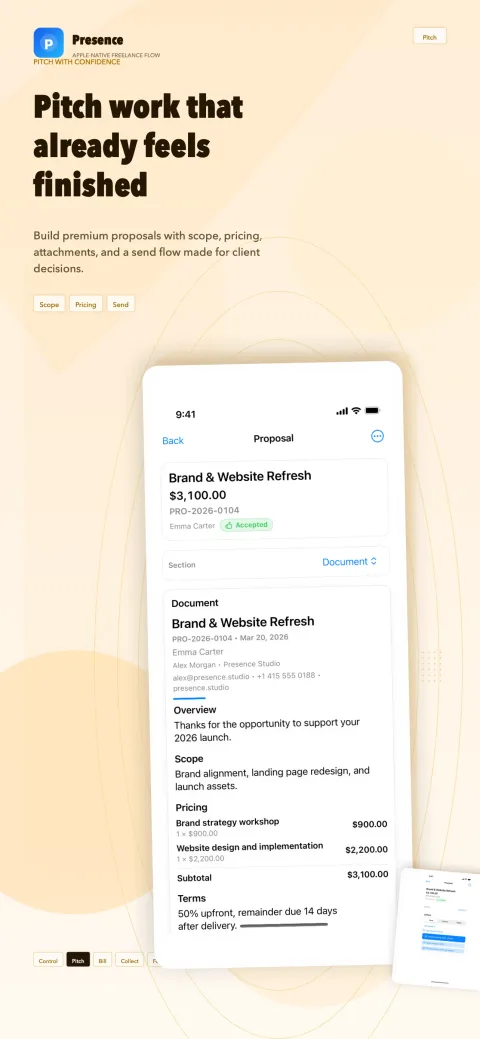
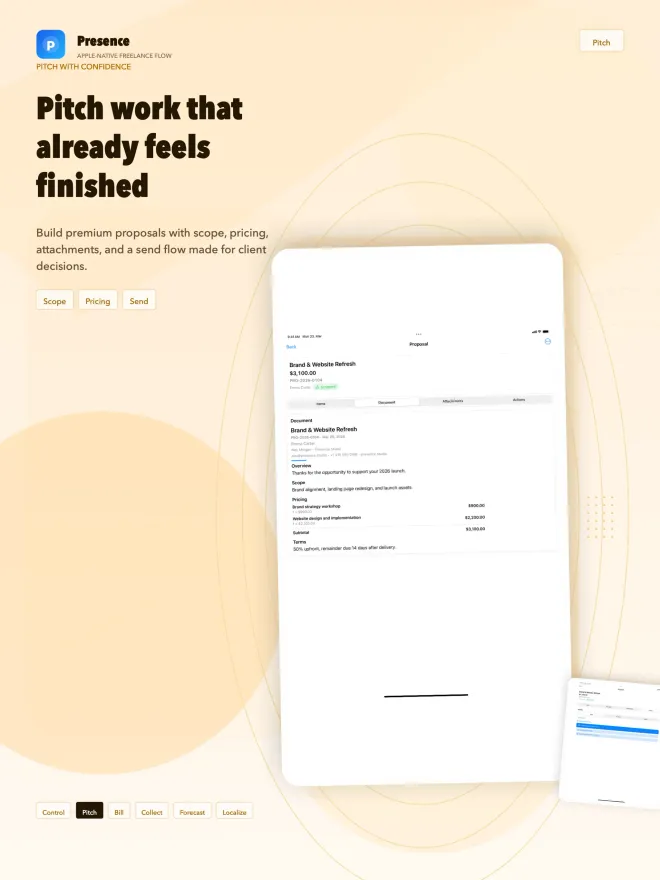
Proposals that feel finished
Scope, line items, terms, attachments and signatures in one clean document, ready to export as a PDF or share with your client.
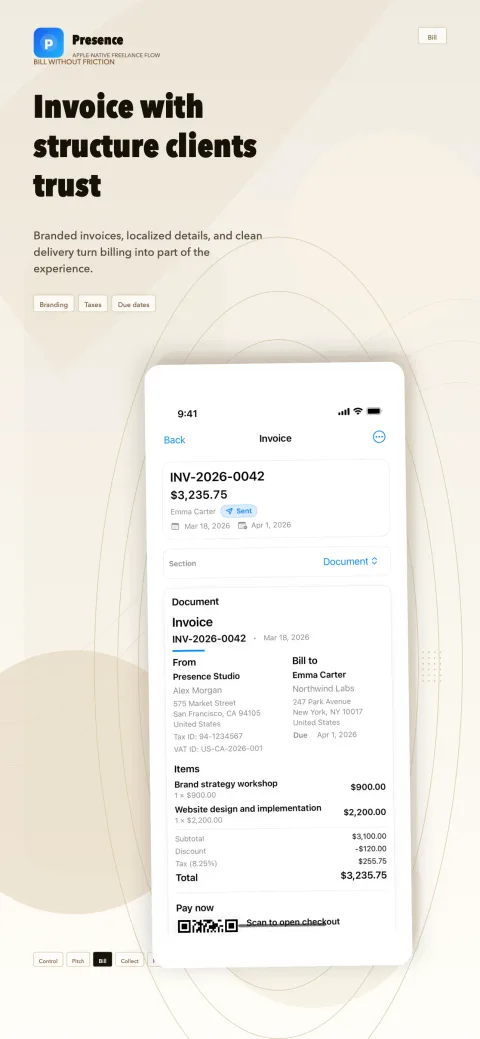
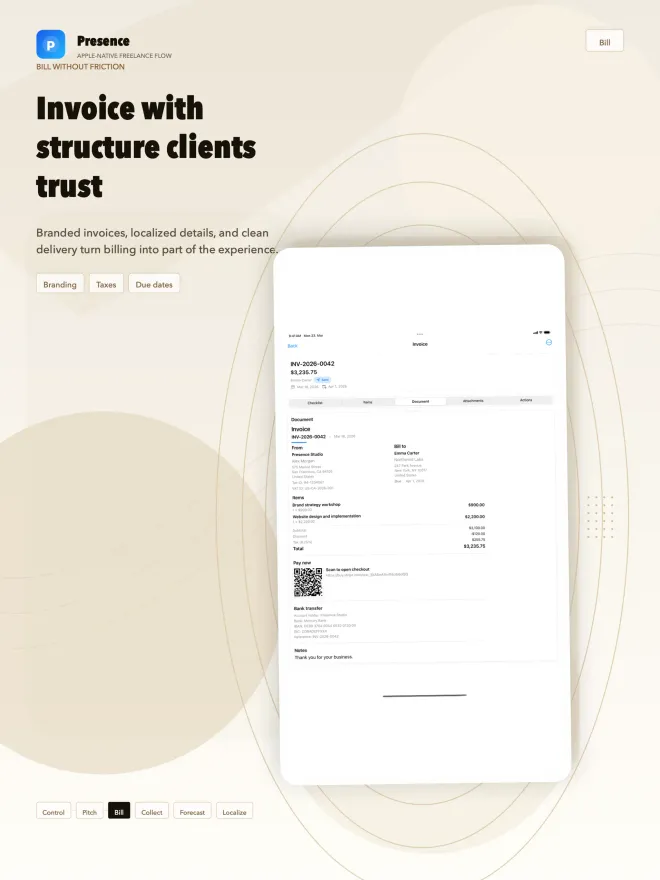
Invoices with clear structure
Due dates, tax details and discounts in a tidy, branded layout—with status tracking that shows what’s open or overdue.
Recurring invoices
For retainers and ongoing work, put invoices on a recurring schedule instead of rebuilding them every month.
Your payment link, your provider
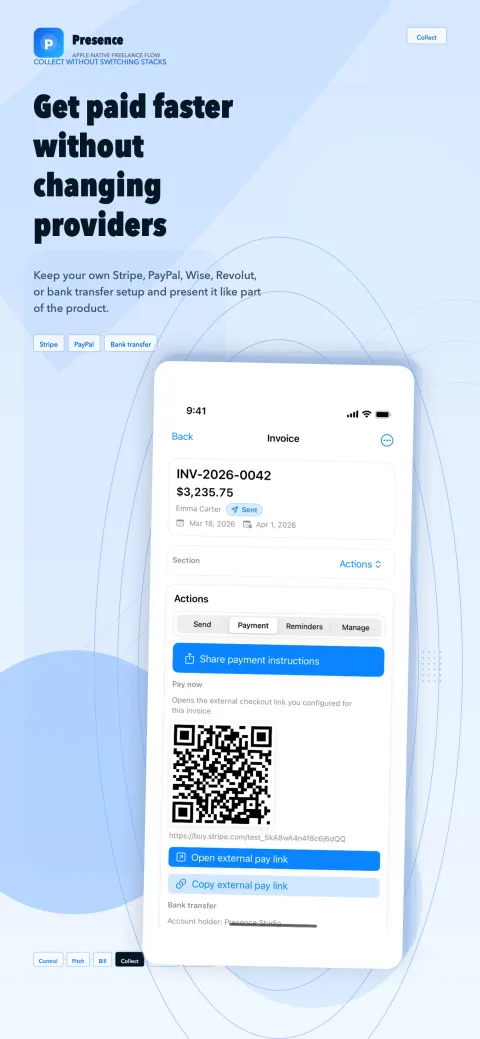
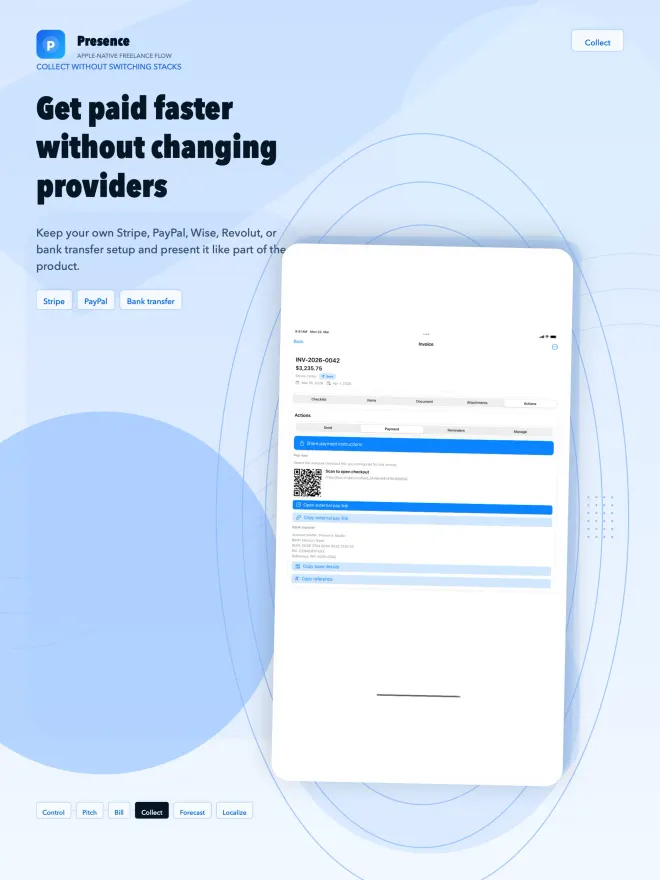
Add your own Stripe, PayPal, Wise or Revolut link, or your bank details. On the invoice, a QR code takes clients straight to checkout.
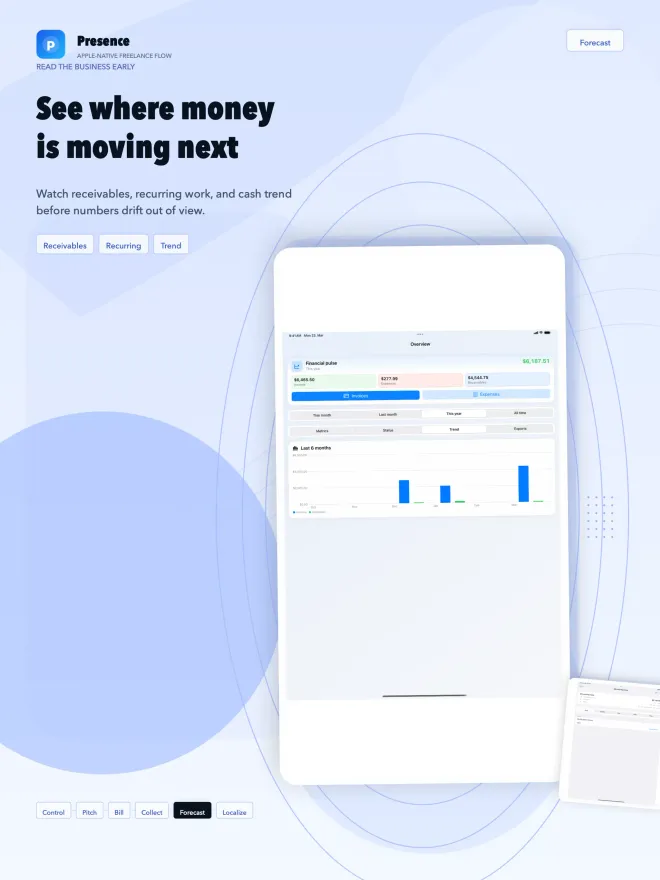
Expenses and cash flow at a glance
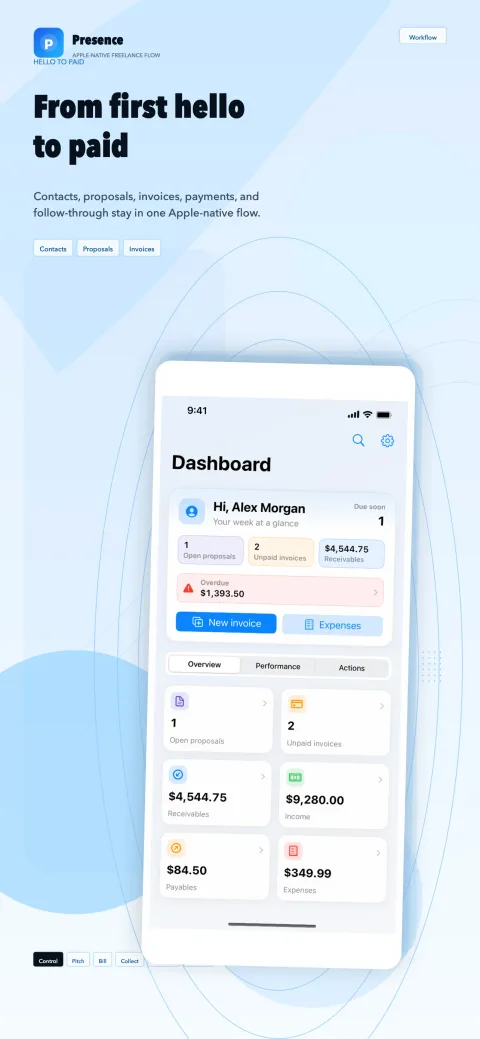
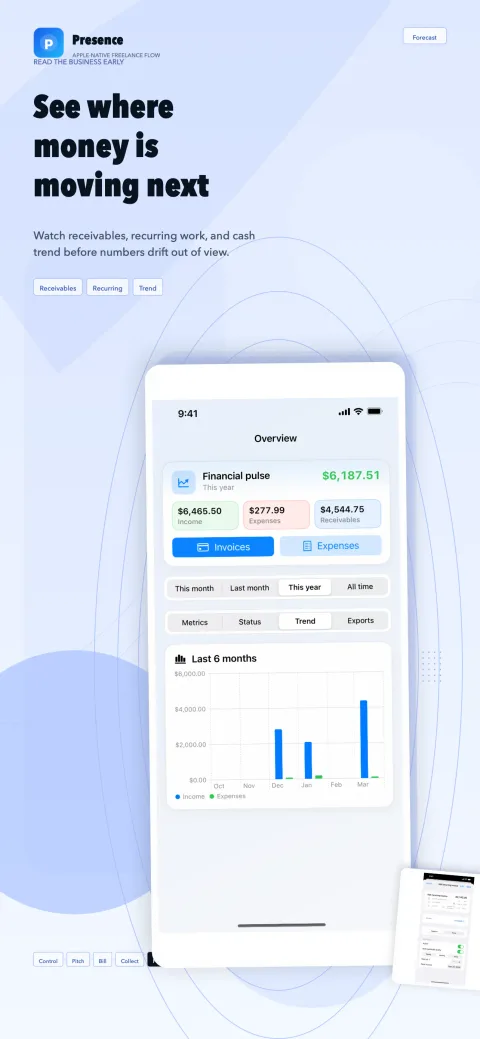
Track expenses and see income, receivables and the trend of recent months before the numbers drift out of view.
Four languages, regional defaults
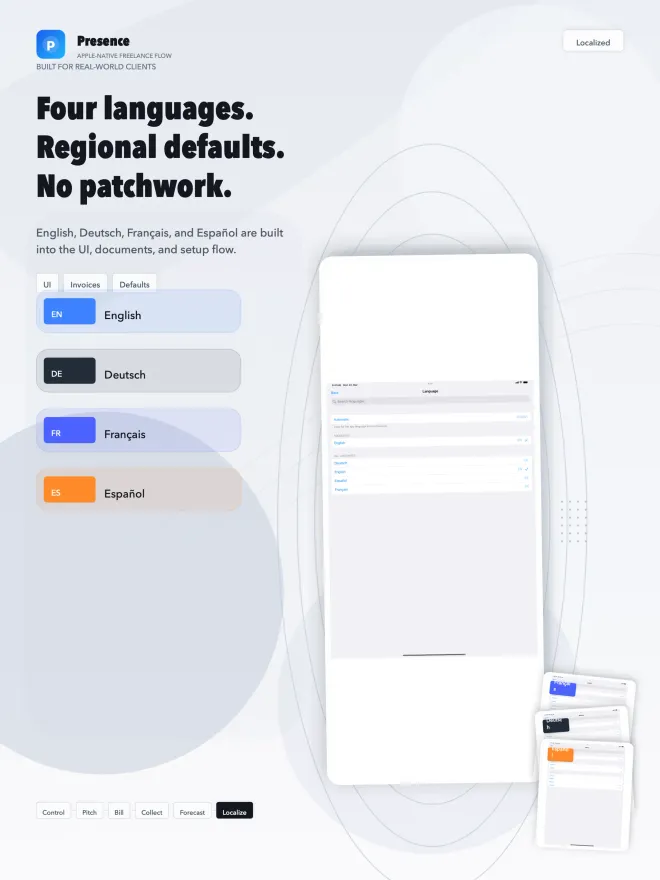
Interface, invoice text and regional defaults come in English, German, French and Spanish—handy when your clients live in different countries.
Local-first, iCloud optional
Your data lives on your device. If you like, iCloud keeps iPhone, iPad and Mac in step—no separate account needed.
A look inside the app
How it works
Step 1: Set up your studio
Add your business details, design your card and add your payment link or bank details. Choose your language and regional defaults.
Step 2: Send the proposal
Describe the scope, line items and terms, attach files, then share the proposal with your client or export it as a PDF.
Step 3: Invoice and get paid
Issue the invoice with a due date and payment details, track its status and see on the dashboard what’s still open.
Official factsBased on official sources, as of the date shown—not features or prices of the app.
What should a freelance invoice include?
The exact rules depend on where you work, but a clear freelance invoice always answers the same questions: who is billing whom, for what, how much, and by when.
If you invoice from Germany, section 14(4) of the German VAT Act (UStG) lists the mandatory details, and invoices up to €250 gross may use a simplified format. Payment terms matter, too: under section 286(3) of the German Civil Code, a client is in default no later than 30 days after the due date and receipt of the invoice—consumers only if the invoice points this out.
Wherever you are, check the rules that apply to you with a tax advisor. This is general information, not tax advice.
Elements most invoices share (general overview, not a complete legal list)
- Your name or business name, address and contact details
- Your client’s name and address
- A unique, sequential invoice number and the issue date
- A description of the work with quantities and rates
- Subtotal, tax rate, tax amount and the total due
- The due date and how to pay
Sources: Section 14, German VAT Act (in German) (opens in a new tab), Section 33 UStDV, small-amount invoices (in German) (opens in a new tab), Section 286, German Civil Code (in German) (opens in a new tab) checked
In the app: Presence Studio puts these building blocks into a clean document layout, with your details and your client’s, tax and VAT IDs, invoice number and date, line items, discount, tax and total—plus a pay-now QR code and your bank transfer details.
From proposal to paid invoice: one freelance workflow
Plenty of freelancers juggle spreadsheets, document templates and notes. It works—until the wrong version of a proposal goes out or an invoice gets buried in someone’s inbox.
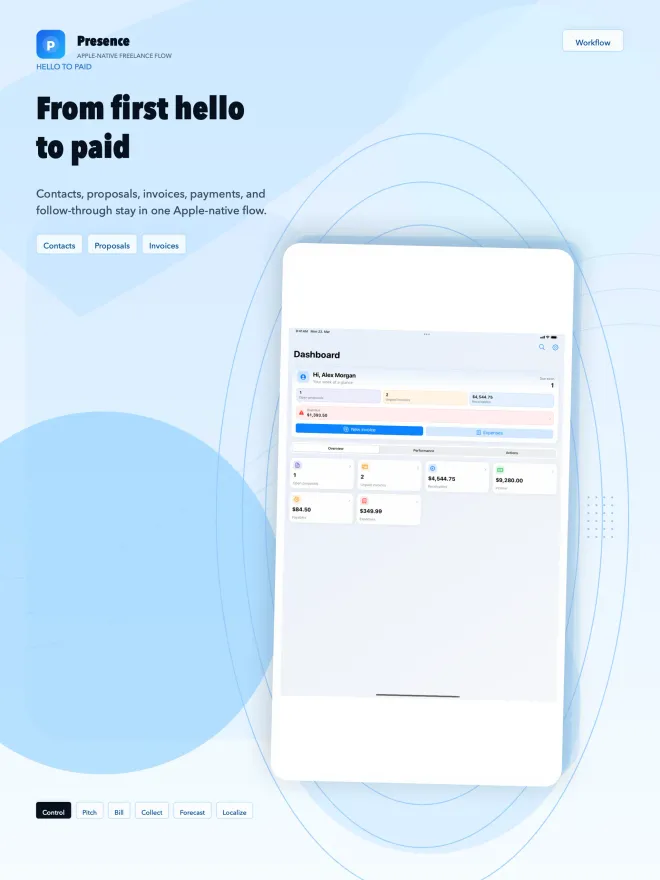
Presence Studio covers the path from first contact to payment in one app. Share your digital business card, add the client with notes, send a proposal with line items and terms, and issue the invoice once the work is done.
The dashboard shows which proposals are open, which invoices are unpaid and what’s overdue, so you always know where to follow up.
- Share your business card with a QR code
- Add the client with contact details, notes and delivery preferences
- Send a proposal with line items, attachments and a signature
- Issue the invoice with a due date and payment details
- Keep an eye on status, expenses and cash flow
How to get paid faster as a freelancer
Late payments often come down to small things: there’s no due date, the bank details are hard to find, or the client has to ask how to pay.
Presence Studio tackles exactly that. Invoices carry a due date, and you add your own payment link—from Stripe, PayPal, Wise or Revolut, for example—or your bank details with a payment reference. On the invoice, a QR code opens the checkout directly.
Presence Studio doesn’t process payments itself. The money goes through your provider or straight to your bank account, on the terms you already have there.
- Agree on payment terms in the proposal, such as a deposit upfront
- Put a specific due date on every invoice
- Offer a payment link and bank details side by side
- Follow up as soon as an invoice turns overdue
Your business data stays yours
In plain words: how the app handles your data.
Read the privacy policy- No account needed—start without signing up.
- Local-first: clients, proposals and invoices are stored on your device.
- iCloud sync is optional and runs through your own Apple Account—Aplo Apps never receives a copy of your data.
- According to its App Store privacy label, the developer collects no data from the app. No ads, no third-party analytics.
- Payments run through your own provider. Presence Studio only shows the links and bank details you add yourself.
Frequently asked questions
Can’t find your question? Write to us—we reply personally.
Visit the support pageIs Presence Studio free?
You can download Presence Studio for free and start without an account. Presence Pro (“Pro” for short) is an optional annual subscription through Apple; the App Store shows the current price and terms before you buy.
Subscriptions are handled by Apple, and you can manage or cancel them anytime. On iPhone or iPad: Settings → [your name] → Subscriptions. On the Mac: open the App Store, click your name at the bottom of the sidebar, click your name again on the page that appears, then click Subscriptions.
Source: Apple Support: Cancel a subscription from Apple (opens in a new tab) checked
Does Presence Studio work as an invoicing app on Mac and iPad?
Yes. Presence Studio runs on the Mac (macOS 14 or later) as well as on iPad (iPadOS 17 or later) and iPhone (iOS 17 or later). With optional iCloud sync, every device signed in to the same Apple Account stays up to date.
Which payment providers can I use?
Any provider that gives you a payment link—Stripe, PayPal, Wise or Revolut, for example. You can also add your bank details for transfers, instead or as well.
Presence Studio doesn’t process payments itself: the link opens your provider’s checkout, and the money goes straight to you.
Can I send proposals as a PDF?
Yes. Proposals include scope, line items, terms, attachments and signatures. You can export them as a PDF or share them with your client straight from the app.
Can I create recurring invoices?
Yes. For retainers, maintenance contracts or monthly fees, you can put invoices on a recurring schedule. Open and overdue amounts show up on the dashboard.
Which languages does Presence Studio support?
English, German, French and Spanish. Not just the interface is localized, but also the invoice text and regional defaults—useful if you work with clients in several countries.
Do I need an account, and where is my data stored?
No account is needed. Presence Studio stores your data locally on your device first. If you want, iCloud syncs it between your devices through your Apple Account.
According to its App Store privacy label, the developer collects no data from the app.
Does Presence Studio replace accounting software or a tax advisor?
No. Presence Studio is a workspace for your client work—from first contact through proposal and invoice to an overview of income and expenses. It doesn’t replace bookkeeping, tax filing or a check of the legal requirements for your invoices.
Invoicing rules differ from country to country; Germany, for example, is phasing in mandatory e-invoicing between businesses. Ask a tax advisor what applies to you.
Source: Federal Ministry of Finance: e-invoicing FAQ (in German) (opens in a new tab) checked
Who is Presence Studio for?
For freelancers, consultants, creatives and other independent professionals who work on their own and want a focused workflow instead of a bloated back office.
Official factsBased on official sources, as of the date shown—not features or prices of the app.
When does e-invoicing become mandatory in Germany?
Businesses in Germany have had to be able to receive e-invoices since January 1, 2025. The obligation to issue e-invoices to other businesses follows after transition periods that run until the end of 2026—or until the end of 2027 for businesses with prior-year revenue of up to €800,000 (as of September 25, 2026).
Ask a tax advisor what applies to you. This is general information, not tax advice.
Source: Federal Ministry of Finance: e-invoicing FAQ (in German) (opens in a new tab) checked
Questions or feedback?
We read every message ourselves and reply, usually within two business days.
To help us help you quickly, please include:
- Device (iPhone, iPad or Mac) and iOS, iPadOS or macOS version
- Whether iCloud sync is on and all devices are signed in to the same Apple Account
- Which area is affected: business card, clients, proposal, invoice, expenses or overview
- Your language and region settings, if the issue concerns formats, currencies or invoice text
- Whether Presence Pro is active, if your question is about the subscription
- Screenshots if helpful—with bank and client details blacked out
Download nowPresence Studio
Proposals, invoices and clients in one calm workspace.