A calm intermittent fasting app for iPhone and Apple Watch
Aluneli helps you decide whether to hold, extend or break a fast, and how to ease back into eating. Every safety check is free, and your data stays with you: on your devices and in your own backups.
A short email is all it takes—we’ll write once when it launches. No newsletter. Privacy notice
At a glance
- Devices: iPhone and Apple Watch (with iPhone)
- 2
- Body metrics from Apple Health—optional and read-only
- 3
- Ads or third-party analytics
- 0
- Accounts
- 0
Everything that matters, thought through
For adults who want to approach intermittent fasting at their own pace and in private, on iPhone and Apple Watch.
Hold, extend or break, with the reason
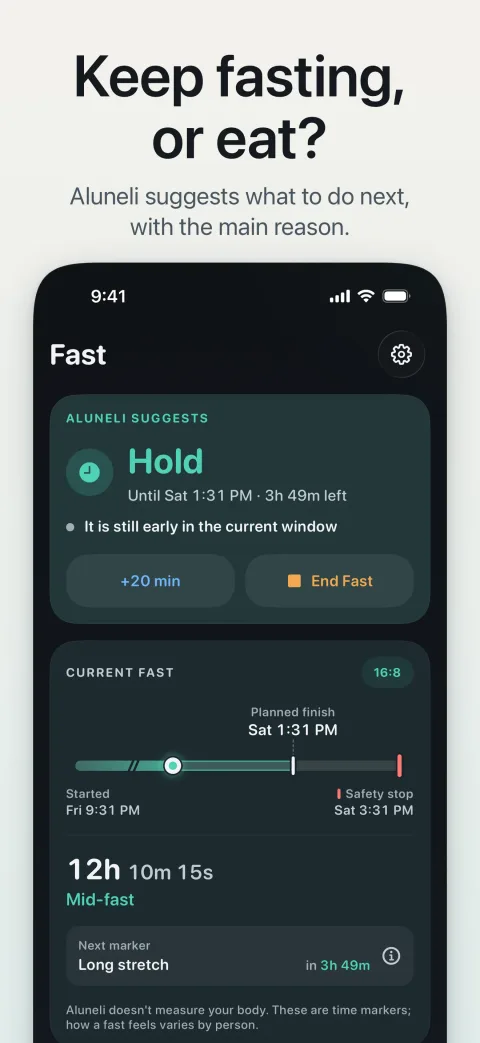
Near your planned finish, Aluneli suggests whether to hold, extend or break, with the main reason in plain words. When your logs are too thin to judge, Aluneli says so. Aluneli suggests; you decide.
Safety checks for everyone
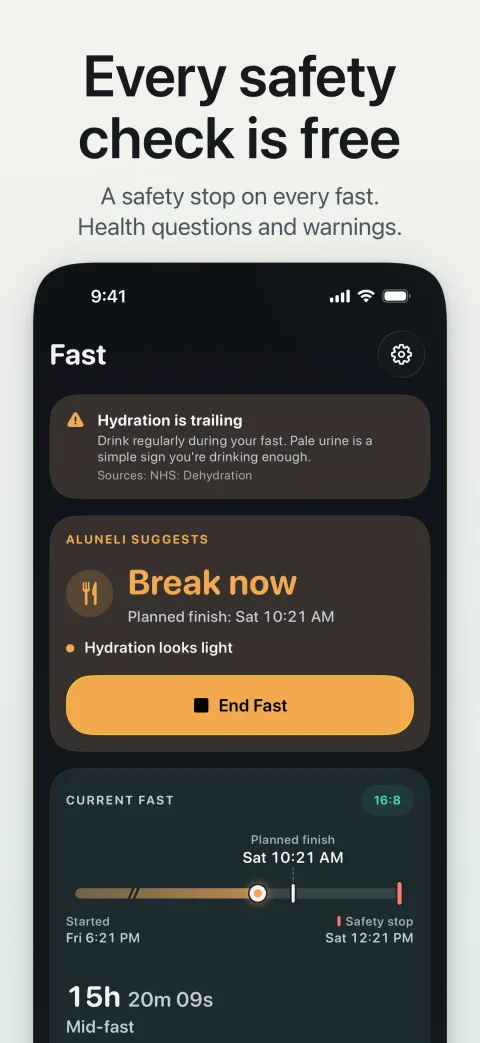
A few health questions before you start, a safety stop on every fast and a clear warning to break the fast if you log certain body signals or warning signs. Every safety check is free.
Breaking your fast, gently
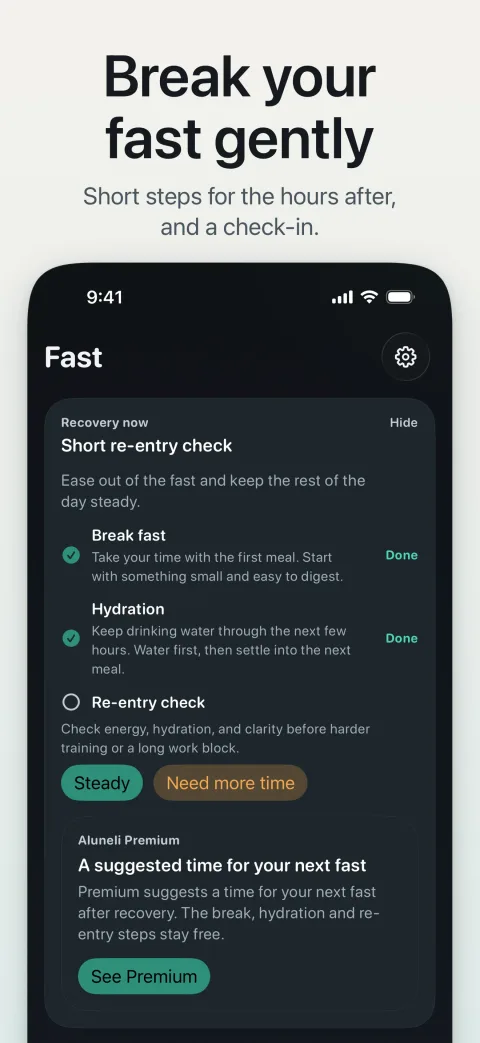
Aluneli treats the end of a fast as carefully as the start: with gentle first steps when you break your fast and a short check-in afterward.
iPhone and Apple Watch
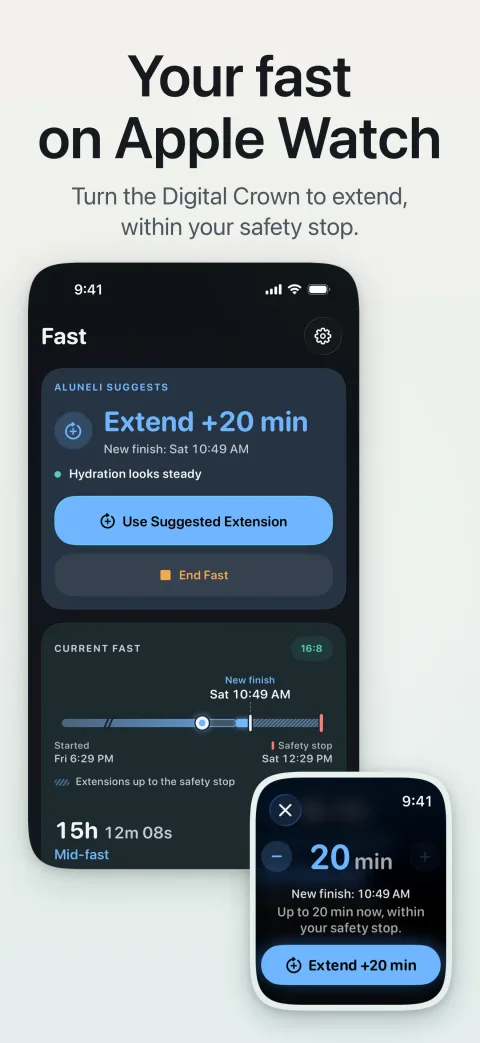
See your fast at a glance on Apple Watch. Add a short extension with the Digital Crown or break your fast from your wrist. Requires iPhone.
Apple Health, if you want it
With your permission, Aluneli reads your weight, body-fat percentage and waist measurement from Apple Health. Read-only, and part of the free app.
Private by design
No account, no ads, no third-party analytics. Aluneli has no servers; your data stays on your devices and in your own backups.
A look inside the app
How it works
Step 1: Set up
Create your profile and answer a few health questions. If you like, Aluneli picks up your weight, body-fat percentage and waist measurement from Apple Health.
Step 2: Start your fast
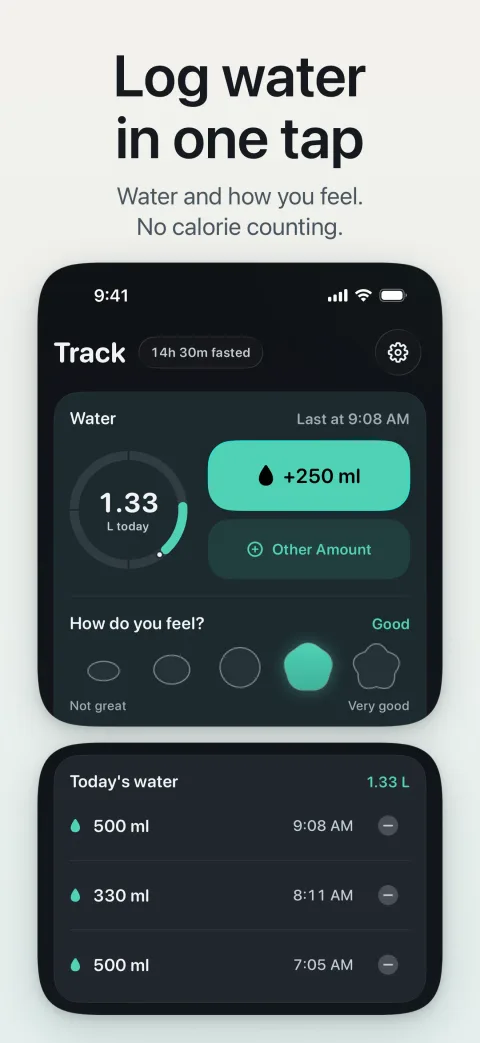
Start your fast on iPhone, or plan it for later and repeat it every day if you like. Keep an eye on it on iPhone and Apple Watch. Near your planned finish, Aluneli suggests whether to hold, extend or break.
Step 3: Ease back in
After the fast, Aluneli walks you through gentle first steps back to eating and a short check-in, so breaking your fast is as deliberate as starting it.
Sourced factsBased on the sources cited, as of the date shown—not features or prices of the app.
What is intermittent fasting? The common methods explained
Intermittent fasting alternates periods of eating with longer breaks from food. The focus is less on what you eat and more on when.
According to Germany’s consumer advice centers (Verbraucherzentrale), there are still no meaningful long-term studies on its health benefits, so it’s worth being wary of big promises. They stress eating as balanced a diet as you can on your regular eating days—otherwise you risk nutrient gaps.
The best-known approaches
- 16:8—a 16-hour break from food and an 8-hour eating window, for example from 11 a.m. to 7 p.m.
- 14:10—a 14-hour break and a 10-hour eating window, for example from 9 a.m. to 7 p.m.
- 5:2—eat normally on five days a week and cut calories sharply on two non-consecutive days
Sources: Verbraucherzentrale: fad diets and intermittent fasting (in German) (opens in a new tab), Cleveland Clinic: Intermittent fasting (opens in a new tab) checked
What to look for in a fasting app for iPhone and Apple Watch
A fasting app should make decisions easier, not add pressure. Streaks, leaderboards and red warnings motivate some people—and stress out others, especially on days that don’t go to plan.
Privacy matters just as much: fasting times and body metrics are health data. Check whether an app requires an account, uses advertising or analytics tools, and what it reads from or writes to Apple Health.
Aluneli is built on those principles: a quiet design, no account to create, no ads, and Apple Health access that is optional and read-only.
- A clear view of your current fast, including on your wrist
- The freedom to extend or end early without guilt
- Support when you break your fast, not just when you start
- As little data as possible, with as much as possible kept on the device
- Aluneli works without an account. It has no ads, no tracking and no third-party analytics, and we run no servers for it.
- What you enter stays on your iPhone and, if you use it, your Apple Watch. If you back up your devices, it is also in your own iCloud or computer backups. We never receive a copy.
- Apple Health is optional and part of the free app. If you allow it, Aluneli reads your weight, body-fat percentage and waist measurement, only on your device. It writes nothing to Apple Health.
- We only receive personal data if you email us.
Frequently asked questions
Can’t find your question? Write to us—we reply personally.
Visit the support pageIs Aluneli free?
Free to use. Optional Aluneli Premium subscription; the price for your country is shown in the app.
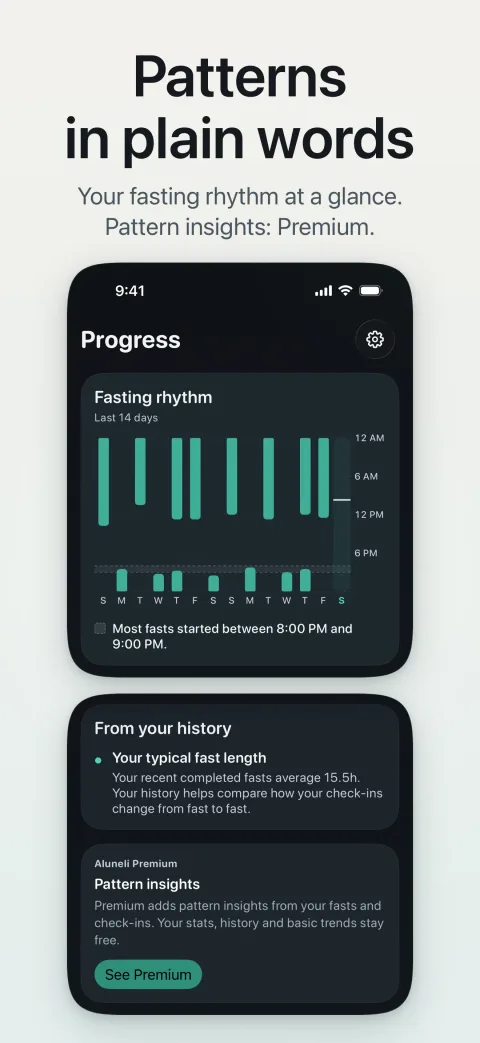
Every safety check, the Apple Health import and all your logs and history are free. So are reminders, repeating a planned fast every day, and skipping a fast or stopping a repeat. Aluneli Premium adds the full “Why this call”, pattern insights from your fasts and check-ins, a suggested time for your next fast, and repeating a planned fast on weekdays or on the days you choose, such as once a week.
When can I get Aluneli?
Aluneli isn’t on the App Store yet. Once it is, the link appears right here on this page. If you’d like a one-time heads-up at launch, send us a short email.
Does Aluneli work on iPad or Mac?
Aluneli is made for iPhone and Apple Watch. The Apple Watch app requires iPhone.
What does Aluneli read from Apple Health?
Only with your permission: your weight, body-fat percentage and waist measurement, to keep your profile and safety limits up to date. Aluneli only reads these values, processes them only on your device and writes nothing to Apple Health. The import is part of the free app.
You can revoke access at any time in the Health app or in iPhone Settings; Aluneli keeps working without it, and you can type your measurements in yourself.
Who shouldn’t use Aluneli?
Aluneli is for healthy adults 18 and over. Aluneli isn’t for you if you are pregnant or breastfeeding, have diabetes or have had low blood sugar, have or have had an eating disorder, or take medication that must be taken with food. Talk to a doctor before fasting if you have a health condition or take regular medication.
Germany’s consumer advice centers (Verbraucherzentrale) advise people with diabetes or another chronic condition to talk to their doctor before starting. Cleveland Clinic also lists pregnancy and breastfeeding, low blood sugar and malnutrition, and intermittent fasting isn’t suitable for children.
Sources: Verbraucherzentrale: fad diets and intermittent fasting (in German) (opens in a new tab), Cleveland Clinic: Intermittent fasting (opens in a new tab) checked
Is Aluneli a substitute for medical advice?
No. Aluneli is a wellness app for adults, not a medical device, and it doesn’t give medical advice, diagnosis or treatment. The time markers in Aluneli are estimates based on the clock, not measurements of your body.
If you feel unwell during a fast, break it. In an emergency, call your local emergency number.
Do I need an account to use Aluneli?
No. Aluneli has no account and no servers, and it contains no ads and no third-party analytics. Your data stays on your devices and in your own backups.
Questions or feedback?
Questions or ideas about Aluneli? Write to us—we read every message ourselves and reply, usually within two business days.
Coming soonAluneli
Calm, private intermittent fasting on iPhone and Apple Watch.
A short email is all it takes—we’ll write once when it launches. No newsletter. Privacy notice