The subscription tracker app that tells you when to cancel
Renewal Radar keeps subscriptions, memberships and contracts in one calm place and alerts you before renewals and cancel-by dates—so you decide what to keep, cancel or renegotiate while there’s still time.

At a glance
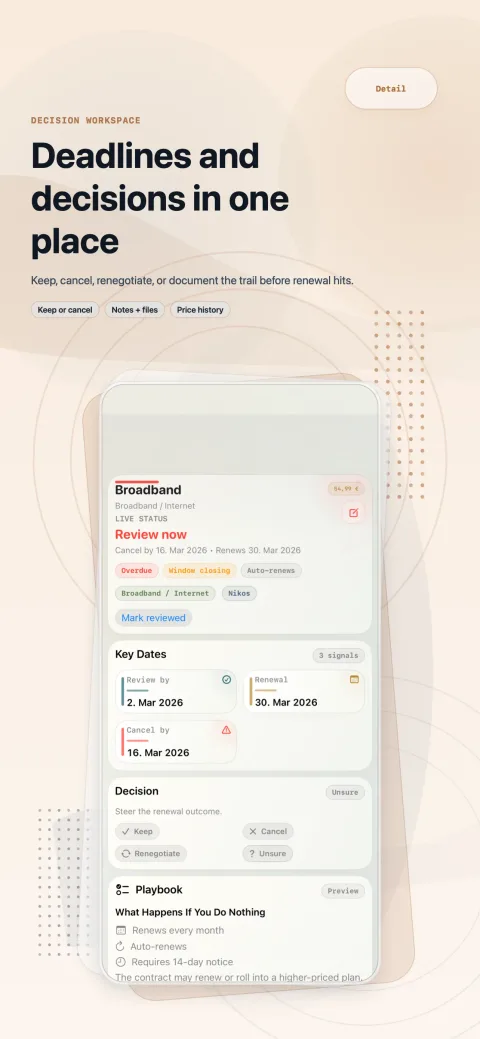
- key dates per item: review by, cancel by, renewal
- 3
- day windows for everything coming up
- 30 / 90
- decisions: keep, cancel, renegotiate, unsure
- 4
- bank connections or inbox scans
- 0
Everything that matters, thought through
For anyone juggling subscriptions, memberships and contracts who wants to decide on renewals in time—not after the charge.
Renewal and cancel-by reminders
Get a reminder before a renewal and before the last day to cancel. Countdown reminders are optional—no spam, no daily noise.
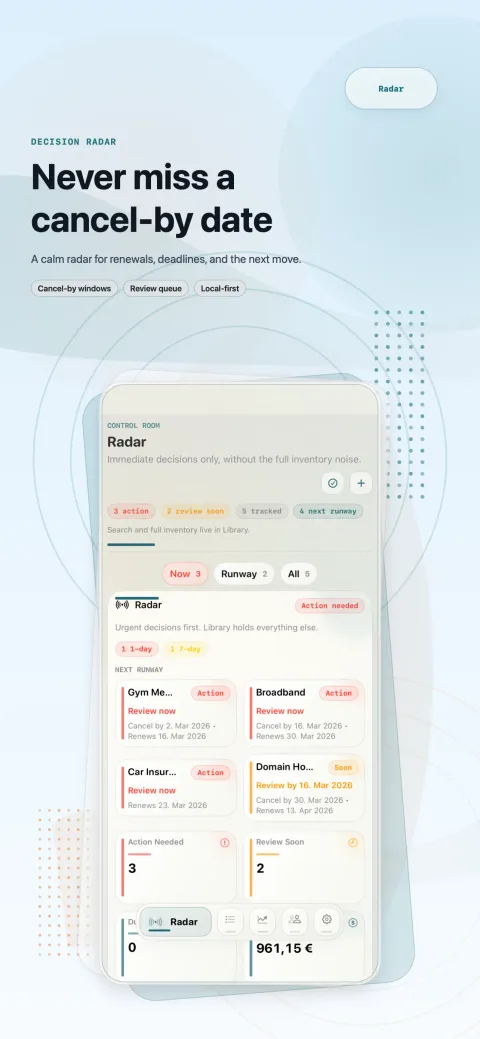
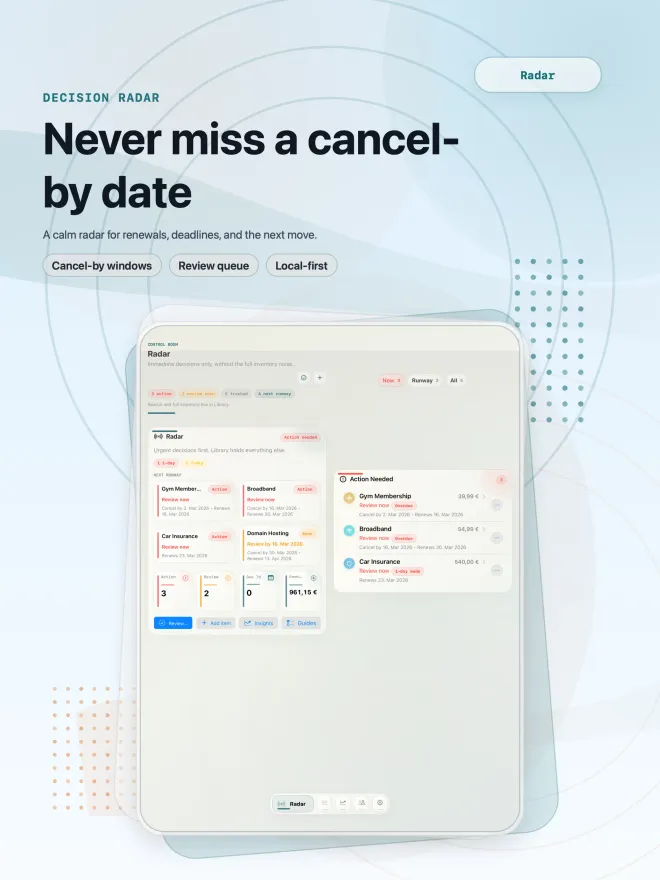
A radar for what needs action now
Radar puts the decisions that are due first, split into now and next, so the full list never buries what’s urgent.
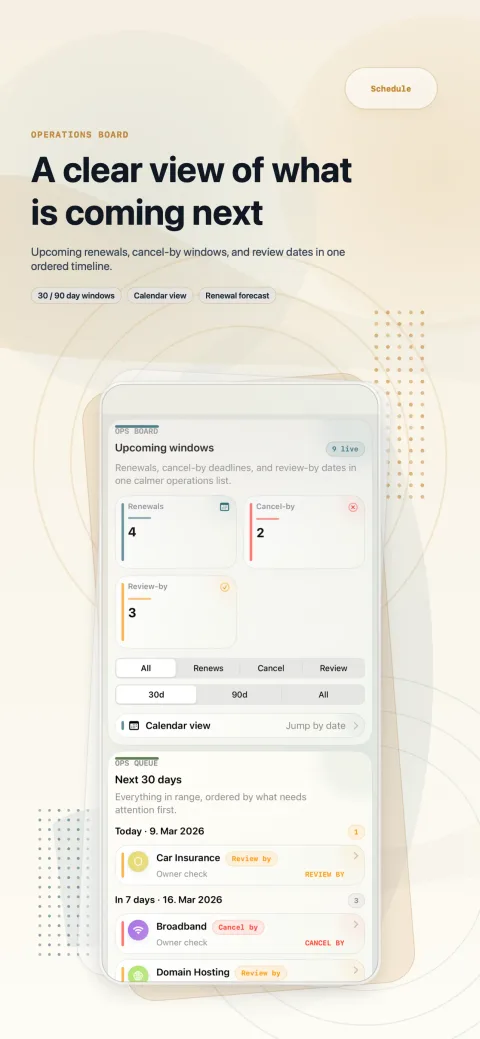
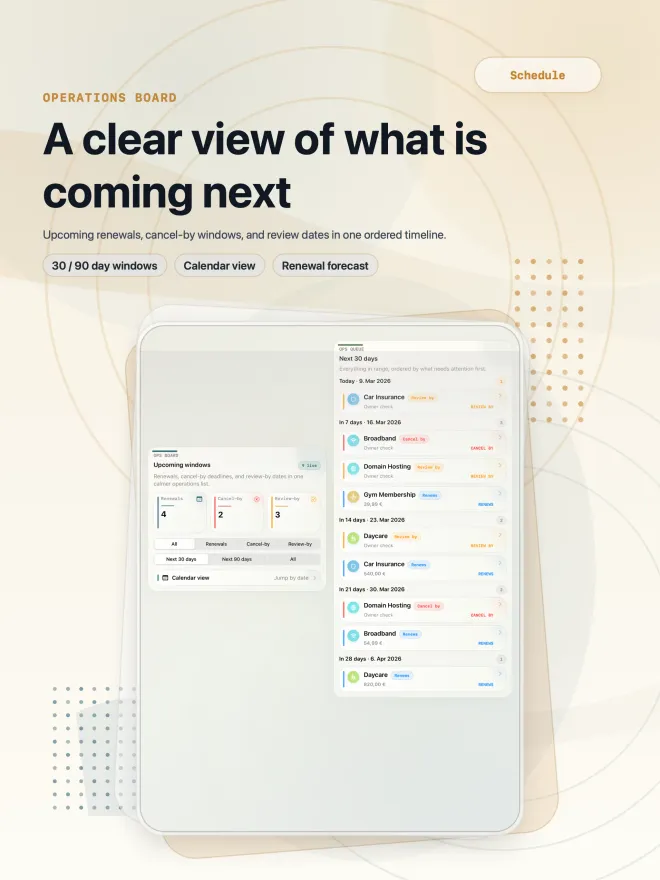
A schedule with 30- and 90-day windows
Renewals, cancel-by deadlines and review dates in one ordered timeline, with a calendar view and optional export to your calendar.
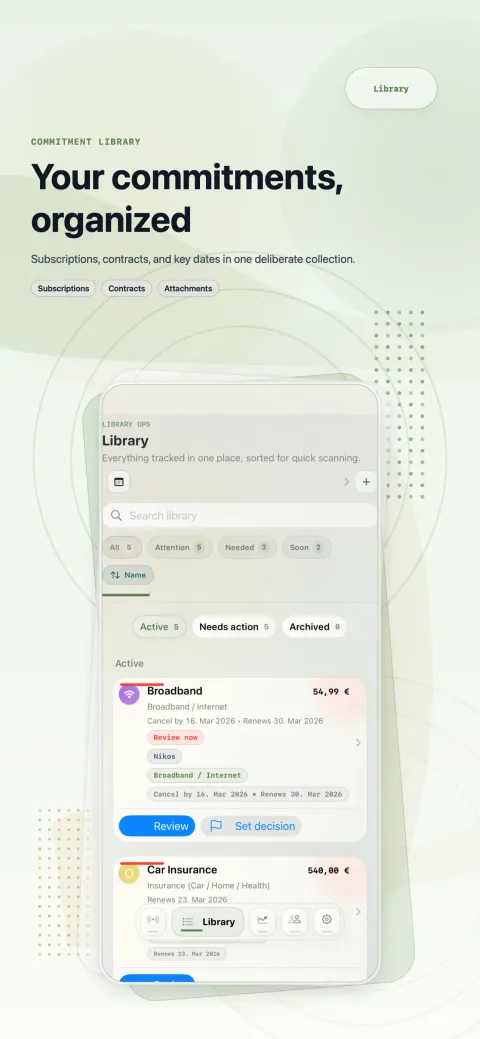
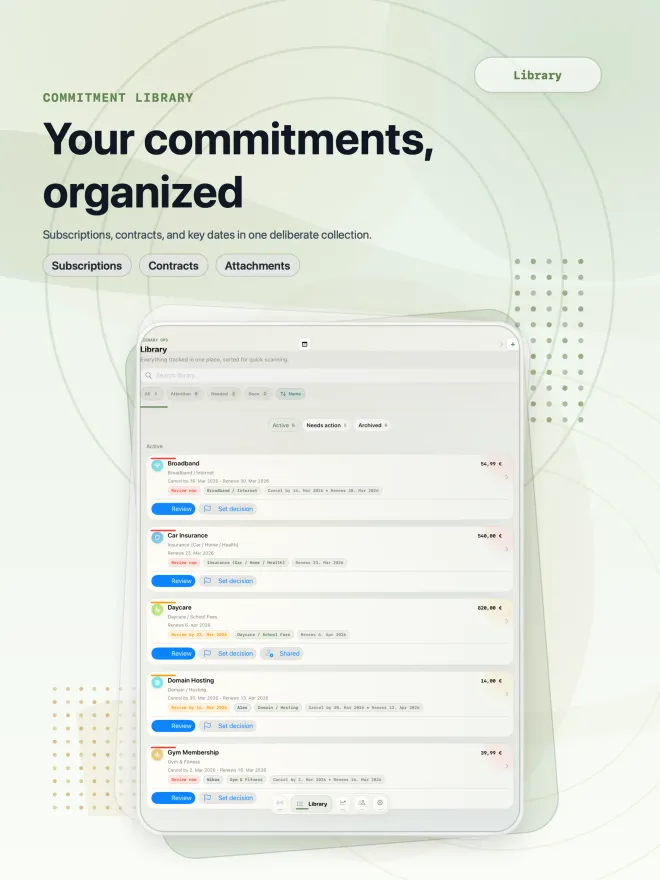
One library for every commitment
Subscriptions, memberships and contracts—gym, insurance, broadband, streaming—searchable and filtered by what needs attention.
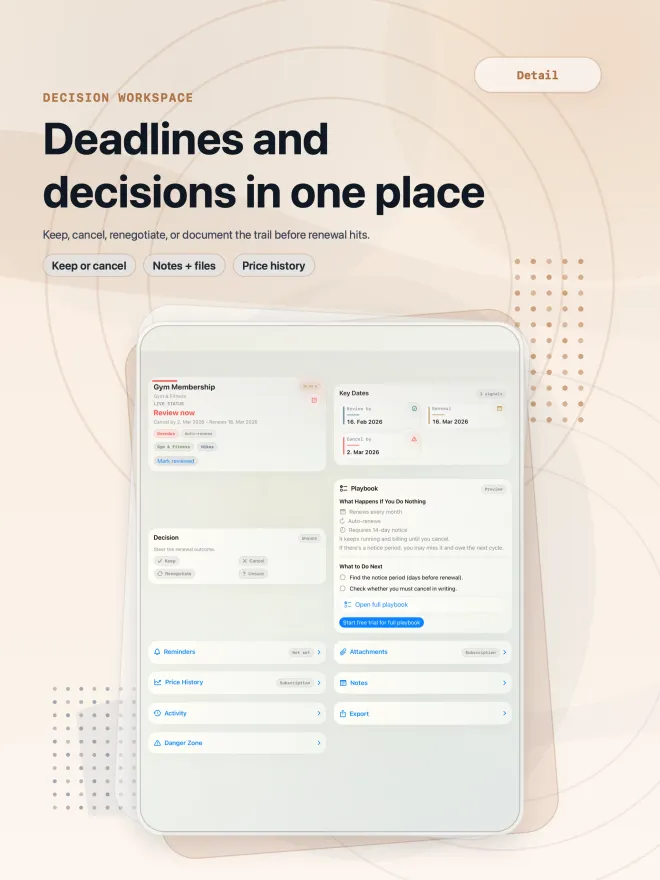
Keep, cancel or renegotiate
Every item gets a decision and notes, so you remember why you kept something—and act before the renewal hits.
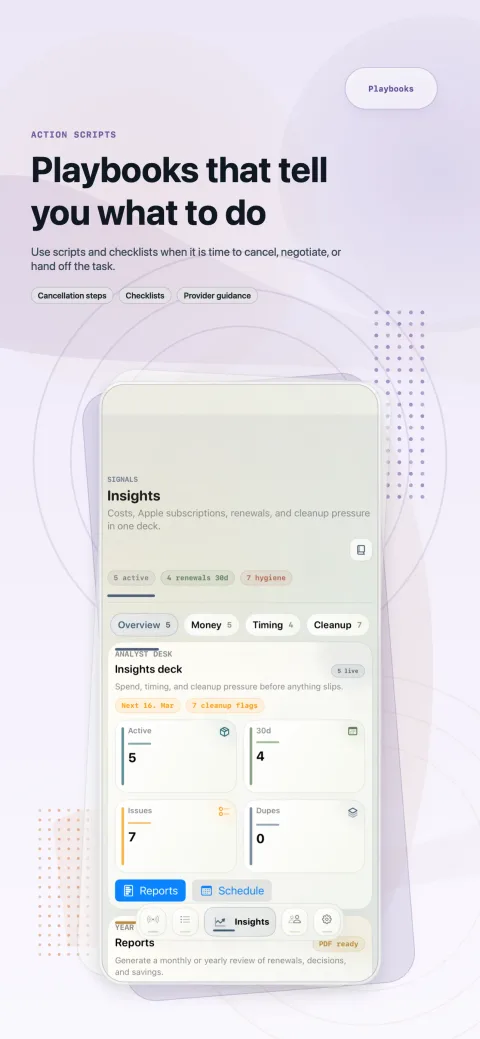
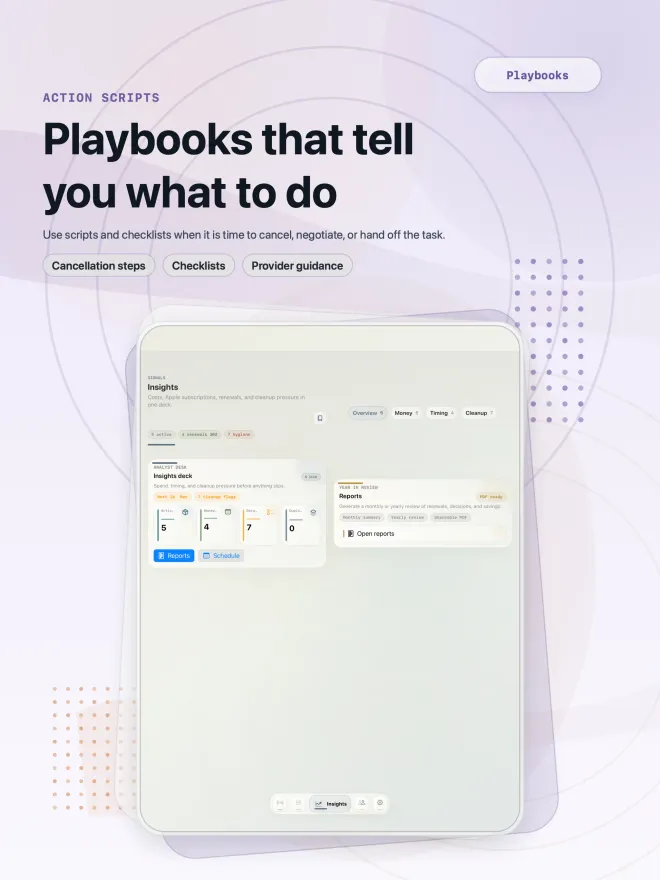
Playbooks that tell you what to do
See what happens if you do nothing, then follow cancellation steps, checklists and provider guidance. Without Premium you get a preview.
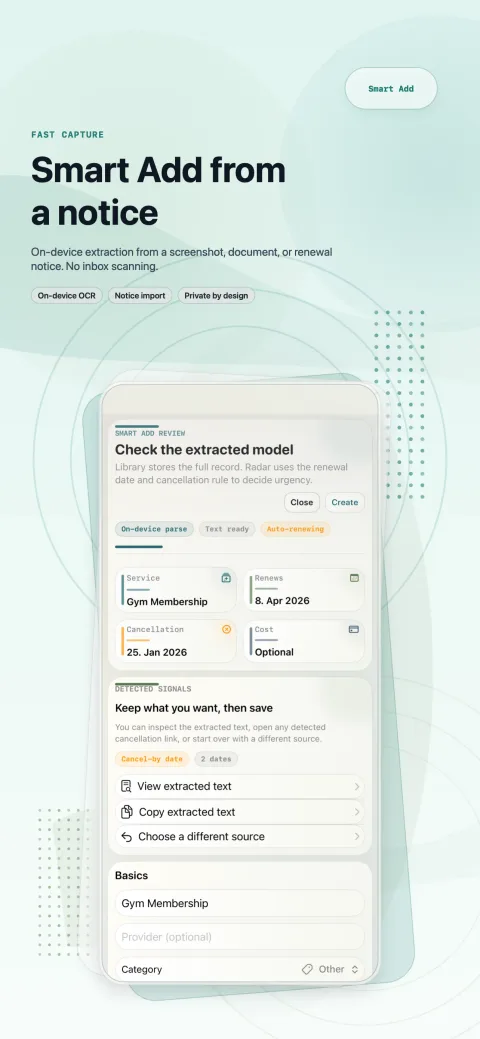
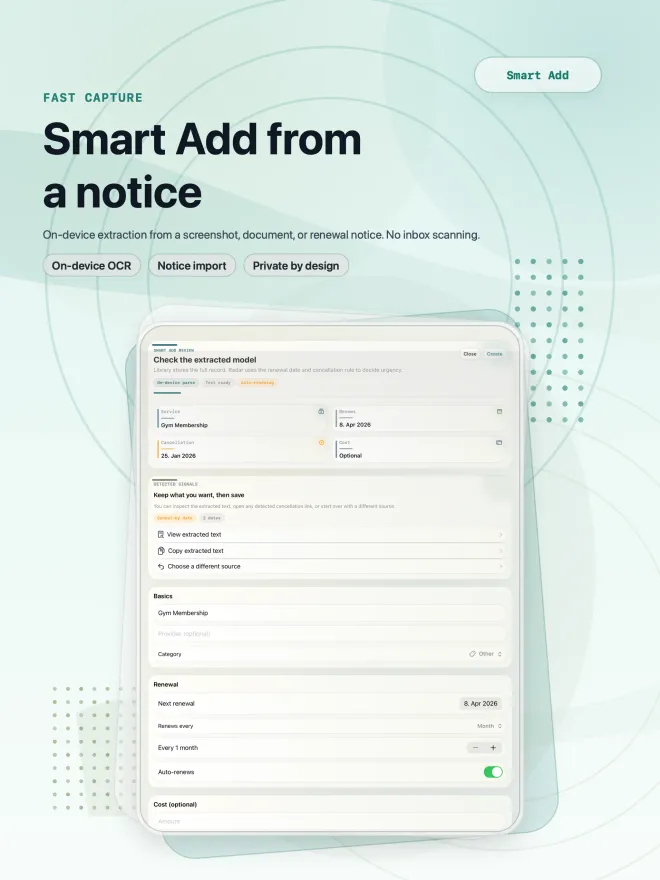
PremiumSmart Add from a notice
Add items from text, images or PDFs. Details are read on your device and you check everything before saving—no inbox scanning.
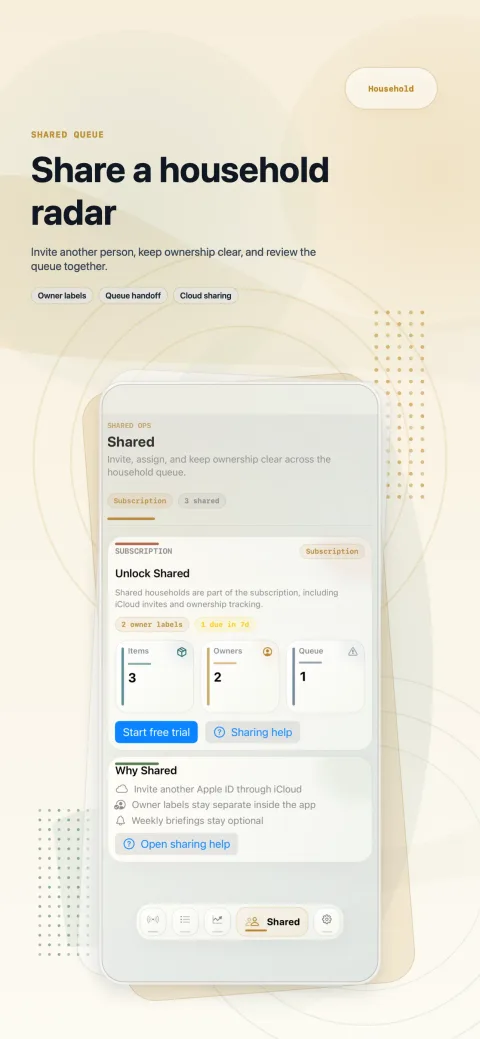
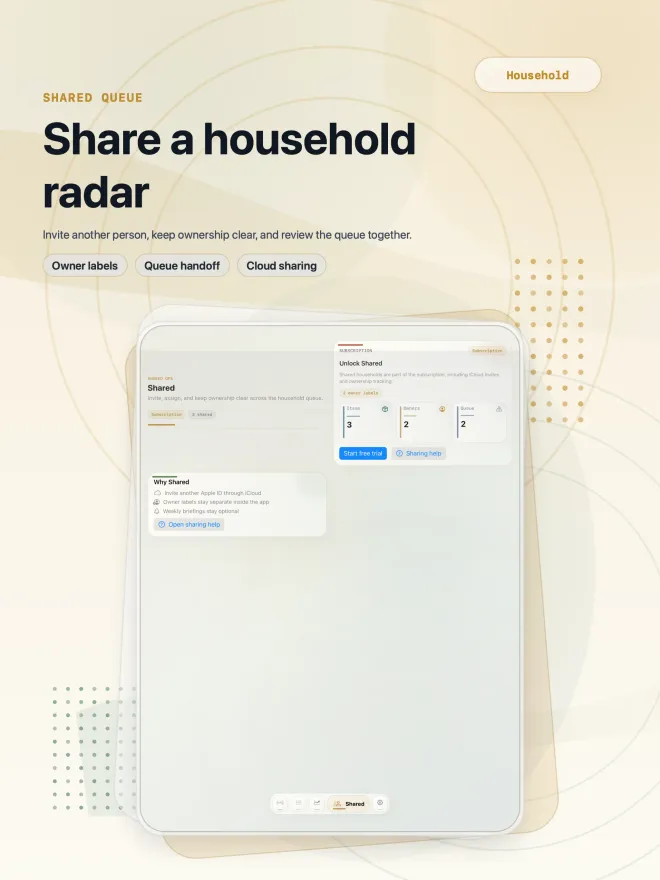
PremiumHousehold sharing
Invite another person through iCloud, keep ownership clear and review the shared queue together. Syncs via Apple CloudKit.
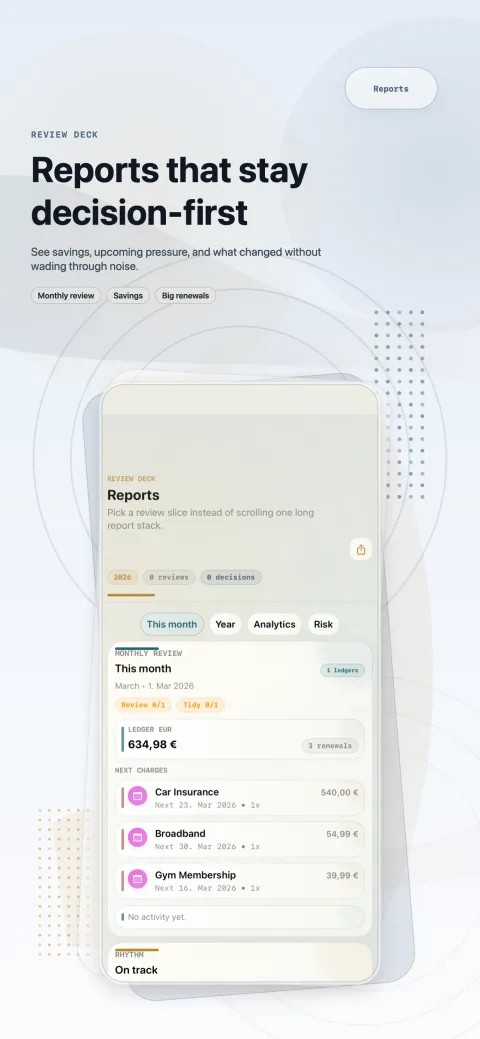
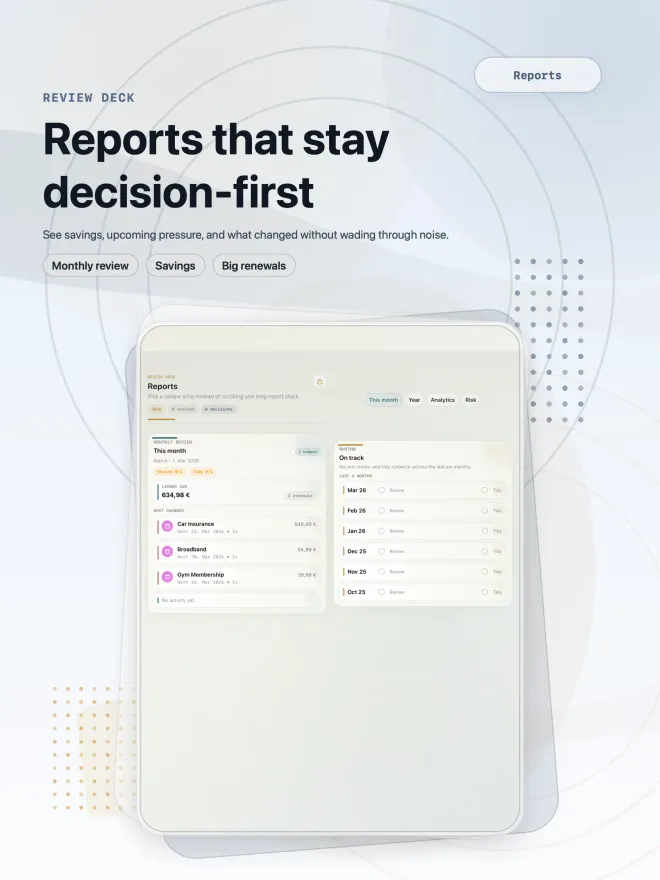
PremiumReports and summaries
Monthly and yearly reviews of renewals, decisions and savings—with upcoming charges and big renewals at a glance, ready to share as a PDF.
Premium
A look inside the app
How it works
Step 1: Add what renews
Enter a subscription, membership or contract with its renewal date and cancellation rule—or let Smart Add (Premium) pull the details from a notice, screenshot or PDF.
Step 2: Let the radar watch the dates
Renewal Radar sorts everything by urgency and reminds you before cancel-by dates and renewals—not on the day the money leaves your account.
Step 3: Decide while there’s time
Keep, cancel or renegotiate: follow the playbook, record your decision and get it done before the contract renews.
What is a cancel-by date—and why the renewal date is too late
Many contracts don’t simply end on the day they renew. They come with a notice period: you have to cancel a set number of days, weeks or months before the renewal date. The last day you can still do that is your cancel-by date—and that’s the date that really matters.
A reminder on the renewal day itself usually comes too late. By then the notice period has passed and the contract runs on, sometimes on a pricier plan. For a monthly streaming subscription that costs you a month; for an insurance policy that renews once a year it can cost you a whole year.
That’s why Renewal Radar keeps three dates for every item, shows you a review-by date and reminds you before the cancel-by date, while every option is still open:
- Review by—time to decide whether you still need it or whether there’s a better deal
- Cancel by—the last day your notice still counts under the contract’s terms
- Renewal—the day the next term starts and you’re charged again
Official factsBased on official sources, as of the date shown—not features or prices of the app.
Canceling contracts in Germany: notice periods and online buttons
If you live in Germany, the Fair Consumer Contracts Act (Gesetz für faire Verbraucherverträge) made many ongoing contracts—gyms, streaming, magazine subscriptions—easier to leave. The rules cover consumer contracts on standard terms (AGB) signed on or after March 1, 2022: a renewal clause may only extend the contract for an indefinite period, and after that you can cancel at any time with no more than one month’s notice. Older contracts keep the previous rules.
Mobile, landline and internet contracts have been covered by the new Telecommunications Act since December 1, 2021: once the minimum term is over, you can cancel at any time with one month’s notice—older contracts included. And since July 1, 2022, businesses that let you sign up online must also offer a cancellation button, labeled, for example, “Verträge hier kündigen” (cancel contracts here).
Since June 19, 2026, there is also a withdrawal button: if you sign a contract on a business’s website or app, it must offer a button such as “Vertrag widerrufen” (withdraw from contract) there for as long as the withdrawal period runs. Withdrawing is not the same as canceling—it undoes a contract you just signed, within the withdrawal period.
One thing the law won’t do is watch the first deadline for you: giving notice before your initial term ends is still up to you. This is general information, not legal advice—for your specific case, Germany’s consumer advice centers (Verbraucherzentralen) can help.
The rules at a glance (as of September 25, 2026)
- Consumer contracts on standard terms signed on or after March 1, 2022 (§ 309 No. 9 BGB): an initial term of two years at most, and no more than one month’s notice before it ends
- Automatic renewal of such contracts: only for an indefinite period, after which you can cancel at any time with at most one month’s notice
- Insurance contracts are excluded from these standard-terms rules
- Mobile, landline and internet contracts: cancel at any time with one month’s notice once the minimum term is over (§ 56 TKG)
- Cancellation button since July 1, 2022: if a business that lets you sign up online doesn’t offer one, you may cancel at any time without notice (§ 312k BGB)
- Withdrawal button since June 19, 2026: contracts signed online at a distance can be withdrawn within the withdrawal period via a button such as “Vertrag widerrufen” (§ 356a BGB)
Sources: Section 309, German Civil Code (in German) (opens in a new tab), Section 312k, German Civil Code (in German) (opens in a new tab), Section 356a, German Civil Code (in German) (opens in a new tab), Federal Law Gazette 2026 I No. 28 (withdrawal button, in force June 19, 2026; in German) (opens in a new tab), Section 56, Telecommunications Act (in German) (opens in a new tab) checked
Sourced factsBased on the sources cited, as of the date shown—not features or prices of the app.
How to cancel a subscription on iPhone or iPad
Subscriptions you bought through the App Store are managed in your iPhone or iPad settings, not inside the app. If there’s no cancel button, or you see an expiry message in red, the subscription is already canceled. For free trials, Apple advises canceling at least 24 hours before the trial ends.
Contracts you signed directly with a provider—a gym, an insurer, a broadband company—have to be canceled with that provider, under the terms of your contract.
Canceling an App Store subscription, per Apple (as of September 25, 2026)
- Open Settings and tap your name
- Tap Subscriptions
- Choose the subscription you want to end
- Tap Cancel Subscription
Source: Apple Support: Cancel a subscription from Apple (opens in a new tab) checked
In the app: You can track both kinds in Renewal Radar, so an App Store subscription gets the same early warning as a two-year contract.
Tracking subscriptions without linking your bank account
Many subscription managers work by reading your bank transactions. That shows you what you’ve already paid—but a cancellation deadline usually falls before the next charge, and a yearly contract may not appear on your statement again for months.
Renewal Radar takes a different approach. It isn’t a budgeting app; it’s a decision system built around dates. You add what renews, and your data stays on your device and, if you choose, in your own iCloud account. No bank connections, no email scanning.
For each contract, a handful of details is enough to never be caught out by a renewal again:
- The provider and what the contract covers
- Renewal date and billing cycle
- Notice period and how to cancel—online, by letter or by email
- The cost, if you want reports on it
- Who in the household is responsible
Cancel guides for popular subscriptions
Official cancel links and steps for streaming, music, software and other popular services, plus general guides for gyms, insurance, broadband and more—independent, and checked against the providers’ own pages. In the app, a playbook for each kind of contract lists the steps, a checklist and an email and call script to copy. The free version shows a preview; Premium unlocks the full playbooks.
Your contracts stay your business
In plain words: how the app handles your data.
Read the privacy policy- No bank connections and no email scanning
- Your data is stored on your device and, optionally, in your own iCloud account
- Household sharing runs through Apple’s iCloud/CloudKit—Aplo Apps gets no separate copy of your data
- Smart Add reads notices and documents right on your device
- No ads and no third-party analytics—we never see or sell your data
Frequently asked questions
Can’t find your question? Write to us—we reply personally.
Visit the support pageIs Renewal Radar free?
Yes. Renewal Radar is free to download and use for tracking renewals, reminders and decisions. An optional Premium subscription adds unlimited items, household sharing, Smart Add, reports and App Lock.
Eligible users can try Premium free for a limited time. Billing runs through Apple, and the subscription renews automatically until you cancel it. To cancel, open Settings on your iPhone or iPad, tap your name, then tap Subscriptions.
Which languages does the app support?
The app interface is currently in English. You can name your items and write notes in any language you like.
Does the app connect to my bank or read my emails?
No. Renewal Radar has no bank connections and doesn’t scan your inbox. You add items yourself—or, with Premium, import them from text, images or PDFs you choose.
Your data stays on your device and, if you turn it on, in your own iCloud account.
What kinds of contracts can I track?
Anything that renews: streaming and software subscriptions, gym and club memberships, insurance policies, broadband and mobile contracts, domain hosting, daycare fees and more.
Each item holds its renewal, cancel-by and review-by dates, plus an optional cost and notes.
How does Renewal Radar know my cancellation deadline?
You enter the renewal date and your contract’s cancellation rule, such as 14 days’ notice—or Smart Add (Premium) detects them in a notice. Radar uses them to decide what’s urgent, shows a review-by date and reminds you before the cancel-by date.
If in doubt, check the notice period in your contract: the app reminds you, but your provider sets the terms.
Does Renewal Radar cancel contracts for me?
No. Renewal Radar isn’t a cancellation service and never acts on your behalf. It reminds you in time and, in playbooks, shows cancellation steps, checklists and provider guidance. Whether you cancel, renegotiate or keep a contract is your call—and yours to do.
Can I share contracts with my partner or family?
Yes, with Premium. Household sharing lets you invite another person through iCloud, label who handles what and review the shared queue together. Sync runs through Apple CloudKit.
How is Renewal Radar different from a budgeting app?
Budgeting apps look back at what you’ve spent. Renewal Radar looks ahead: it shows which renewals are coming, which deadlines are getting close and what to do about them—keep, cancel or renegotiate. It doesn’t need your bank data to do that.
Which devices does Renewal Radar run on?
Renewal Radar runs on iPhone and iPad with iOS or iPadOS 16.0 or later.
How do I cancel Renewal Radar Premium?
Premium is billed through Apple. Open Settings on your iPhone or iPad, tap your name, then Subscriptions, choose Renewal Radar and tap Cancel Subscription.
Questions or feedback?
We read every message ourselves and reply, usually within two business days.
To help us help you quickly, please include:
- Your device (iPhone or iPad) and iOS or iPadOS version
- The version of Renewal Radar you’re using
- Whether Premium is active or you’re in a free trial
- Whether iCloud or household sharing is on—and whether the other person uses a different Apple Account
- For reminders: your notification settings for Renewal Radar and the dates of the affected item
- For Smart Add: the type of source (text, image or PDF)—please don’t attach documents containing personal data
Download nowRenewal Radar: Cancel On Time
Know when to cancel—before your contracts renew.